Mobile PDF scanner and reader with on-device OCR and privacy
Scans paper with automatic edge detection, enhances images, and runs on-device OCR to extract text for editing or export. PDF Handy: Reader & Scanner, from Infoso Tools, targets mobile document workflows on Android. The app bundles reading, annotations, merging and page reordering, plus password protection and a local vault for privacy. It suits students and office professionals who need fast, offline document capture and basic editing on the go.
What the app does for mobile document workflows
The app combines camera-based scanning and a PDF reader into one tool: high-quality scans with automatic edge detection, image enhancement, and an embedded reader that supports text search and bookmarks. These capabilities let a user convert physical receipts or handouts into searchable PDFs and then open them for navigation or annotation without leaving the Android environment.
How the app shapes everyday output and file handling
The app offers document assembly tools that affect deliverables directly: merge, split, rotate, and reorder pages, plus converters for images, text, and Office files into PDFs. For someone preparing a bundled packet of invoices or study notes, those organization tools let you produce a single, exportable PDF that reflects the desired page order and content type.
Interface, onboarding, and learning curve for professionals
The app requires no account registration to use core functions and keeps many tools offline, which reduces initial setup steps. The inclusion of bookmarks, multiple viewing modes, and annotation tools such as highlights and notes supports common document tasks without specialist training, making it accessible to students and office staff who need quick utility rather than deep customization.
Compatibility, security, and performance considerations
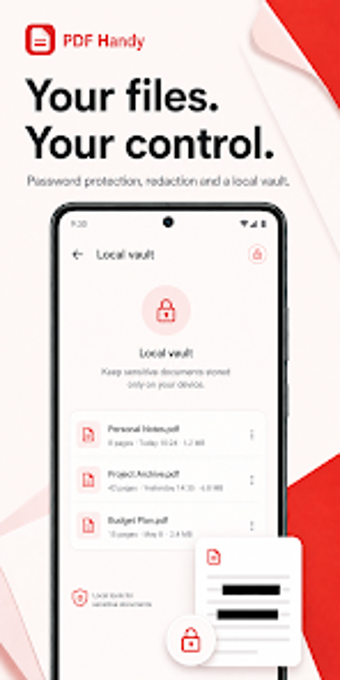
The app processes core tasks on-device to protect sensitive material and includes password protection, redaction, and a local vault for secured files. Optional AI-powered features such as summarization and translation are available as cloud-based tools, while the base scanning, OCR, and editing functions operate offline, which helps with speed and privacy on standard mobile hardware.
A practical tool for mobile-first document management
PDF Handy suits students and small teams who need fast, local scanning, searchable OCR, and simple page management on Android; the app's offline processing and no-account access support privacy-focused workflows. Professionals who require enterprise integrations or advanced cloud collaboration may find the optional AI cloud features useful but should note that core operations remain device-bound by design.